For individuals and businesses
RAID and NAS data recovery
Is a NAS inaccessible or a RAID array down? The relationship between the drives and their original configuration matters. A structured initial enquiry helps us understand the case correctly.
Free assessment · Data recovery from €850
Starting price including VAT. You receive your quote after the findings.
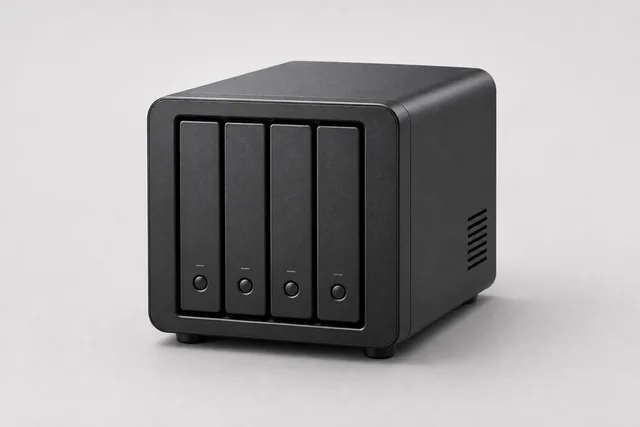
Server equipment · AI-generated illustration
What to do after data loss
NAS failure or interrupted RAID rebuild
Record the error message and drive order. If the cause is unclear, do not start another rebuild or reset the system to factory settings. Tell us which steps have already been taken.
Examples of affected storage devices
RAID 1, 5, 6 and 10, and NAS systems including Synology, QNAP, Buffalo and Drobo. For Linux-based devices, a known filesystem such as ext4 or Btrfs helps. Provide the NAS model and identify drives reported as faulty.
Typical symptoms
- Several drives report errors.
- A RAID array is shown as failed.
- A rebuild has failed.
- Shares or virtual drives are missing.
Which details help the diagnosis?
Useful information includes the NAS or controller model, number and capacity of drives, RAID level, previous error messages and changes already made. For a business outage, also explain the urgency.
Possibilities and limitations
Multiple failures, overwritten configuration data and previous changes can complicate reconstruction. The scope and feasibility can only be assessed after expert examination.
How much does RAID and NAS data recovery cost?
From €850 including VAT. The drive count, individual media condition, RAID configuration and changes already made affect the work required. A starting price therefore does not replace a quote for your array. Even in a business emergency, you receive the findings and a personalised quote before deciding.
Assessment is free for Standard, Express and Emergency cases. You receive the findings and a no-obligation quote before commissioning recovery. A requested destination storage device is charged separately.
What affects the cost of data recovery?
Can I run CHKDSK or start another rebuild?
For a failed array or unclear status, seek expert agreement before writing repairs or another rebuild. Such actions can change the data's state. Keep drives already replaced and document their original positions.
What information is needed for the first recovery enquiry?
A short description is enough to start. System details and the drive count also help. We clarify outstanding details in the follow-up discussion.
Synology and QNAP: understanding storage status
Synology: distinguish drives, storage pools and volumes
Record whether the message concerns a single drive, storage pool or volume. According to Synology, a drive marked “Crashed” has been removed from the pool. This alone does not establish the condition of the whole pool. An unavailable repair function can have different causes; it is not a reason to recreate the pool.
QNAP: stop at “Inactive” status and repeated rebuild errors
QNAP recommends stopping further tests and seeking support for an inactive pool, several suspect drives or repeatedly failing rebuilds. Do not force another rebuild or replace several drives on a guess. Record the model, system version, messages, failure times and bay positions. Existing logs help assess the case.
Also describe whether data remains accessible and whether a tested backup exists. Agree further handling of the system with your IT team or the responsible support provider.
Manufacturer guidance: Synology: drive statuses · Synology: repair unavailable · QNAP: limits of troubleshooting
RAID 1, 5, 6 and 10
The RAID level determines how data and any additional reconstruction information are distributed across drives. For RAID 10, it also matters which drives belong to the same mirror. The RAID level name alone does not establish whether a particular array can be reconstructed.
Diagnosis depends on the drive count, original order, failure order and actions already taken. Mention SHR or other manufacturer-specific storage pools if known.
If a rebuild was interrupted
Document when the rebuild began, whether drives were replaced and the latest error message. If the cause is unclear, do not start another rebuild or initialise the storage pool. Existing old drives may be important for examination.
Do I need to send the whole NAS?
That depends on the system and symptoms. Clarify what is required beforehand. Before agreed removal, clearly document bay positions and pack drives individually. Encrypted systems may require further information or the original device.
From data loss to your decision
Discuss the failure and required data
Briefly describe what happened and which files you need. Our team will arrange shipping with you. Technical details can be added during the discussion.
Understand the findings and quote
Our long-standing laboratory partner examines the medium. You receive the findings, information about your required data and a quote. An initial response is not yet a completed assessment.
Agree recovery and delivery
You decide whether to proceed based on the findings and quote. We agree the timeframe and delivery according to the case. Any download and return of the original are discussed separately.
Your required files matter: before commissioning recovery, discuss whether the findings cover them and what limitations are known. A general success rate does not replace this check.
Business outage: which data gets you working again?
Tell us whether shares, accounting data, a database or virtual machines are missing. Provide the required data version, your IT contact and a target date. A recovered file and an operational complete system are separate tasks; any subsequent data handover is agreed as needed.
- NAS/server model, drive count and original bay positions
- Order of failures, replaced drives and rebuild history
- Most important data, tested backups and impact of the outage
Download the business checklist (PDF, 1 page)
For printing: record the failure, essential data and questions about the quote.
Further guidance for a business outage
The next step
Tell us
what happened.
You do not need to know the technical details yet.
Your message goes to the DataEmber team. The direct partner route is being prepared.