International website now available in English
The international website now includes English guides, contact forms, service selection and documents. You can switch between German and English on the corresponding pages.
Explore the English websiteContact DataEmber: info@dataember.com
What to prepare for your enquiry and how to understand the findings.
What is available now, plus practical help for your next steps.
The international website now includes English guides, contact forms, service selection and documents. You can switch between German and English on the corresponding pages.
Explore the English websiteCompare ongoing computer care, managed G DATA antivirus, cloud backup and local file backup. Check the scope and prices before making a binding booking.
Explore backup and careCollection is arranged personally through our laboratory partner. We clarify customs handling, receipts for any reimbursement and the return option before shipping.
Shipping information for Switzerland and Liechtenstein (German)Record the failed system, essential files, required recovery points and questions about the quote. The checklist is one page and does not require a file upload.
Download the business checklist (PDF)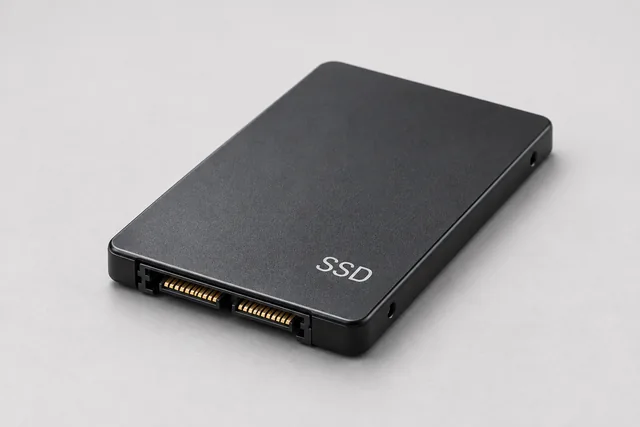
Provide the type, model if possible, and approximate capacity. Copy the error message and record when access last worked. A drop, power failure or system change immediately beforehand may also matter.
Think about which files you need first. Categories such as family photos, accounts or project folders are enough for the first enquiry. For business cases, it also helps to say whether a backup exists and how current it is.
Mention, for example, whether repair software has run or NAS drives have already been replaced. Tell us if the storage medium is encrypted. Do not include login details or confidential files in your first enquiry.
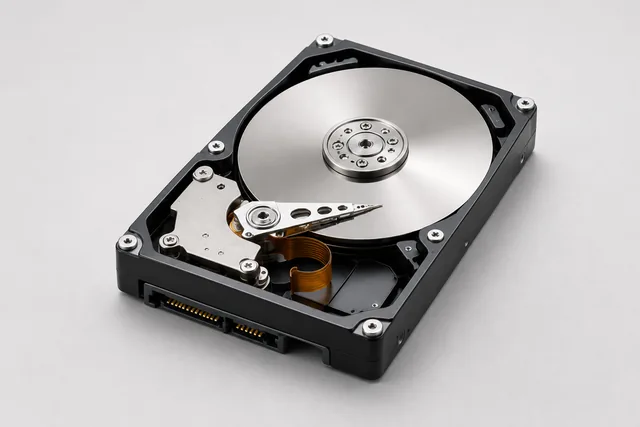
The findings explain the suspected or established cause of the data loss. For a hard drive, the mechanical components may be affected, for example. A filesystem structure error can also prevent access even when the drive is still detected.
Check whether your most important files or folders appear. If a folder name is missing or the condition of a file is unclear from the list, ask before accepting the quote. A listed filename alone does not establish whether the file will be fully usable.
Check which services and costs the quote includes. Clarify whether you can receive the recovered files via a download link or an external storage device. Ask about the timeframe and what happens to the original device if you decline. For business cases, it is worth checking whether the data expected to be recoverable is sufficient to resume operations.
Guides for businesses
NAS or RAID failure? Understand status messages, preserve drive positions and prepare the next steps during a business outage.
Guides for businesses
Business data lost? Prioritise essential files and required versions, assess the findings and distinguish data recovery from restarting operations.
Anonymised real case
An anonymised laboratory case: Windows does not detect the USB drive and components become unusually hot. Why recovery was not possible after further investigation.
Backup and business outages
Unable to restore a backup? Narrow down the error, preserve existing recovery points and identify the right route to IT support or data recovery.
Encryption and data access
Looking for a BitLocker recovery key? Check authorised sources, involve your company's IT team and distinguish a key issue from drive damage.
Results and restarting operations
Which data is actually usable? Check the file list, required versions and applications, and distinguish recovery from subsequent system setup.